
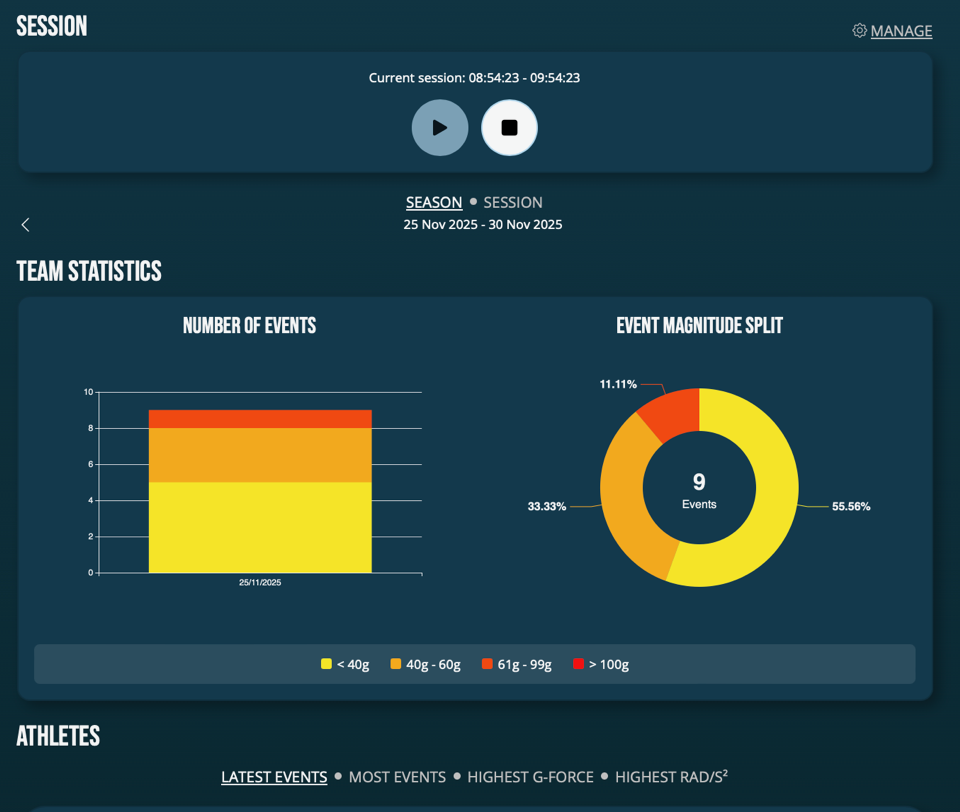
Browser access is at your finger tips on any device with a browser: https://nsii-act-dashboard.web.app/dashboard > log in with your user account credentials.
- By adding Team (on just one or multiple athlete profiles) you can create season and sessions to keep a track on physical load to brain caused by rapid head movements. Load data is formulation ONLY when using sessions, and it is calculated team's combined, and on each individual athlete.
- All data collected is available for your viewing in browser access and can be exported from there using export tool (in menu).
New updates have just been released to Browser access:
- Angular Acceleration (rad/s2) is now shown instead of Angular Velocity (rad/s).
- Total Maximum G-force is now shown instead of Maximum Initial G-force.
- Total Maximum Angular Acceleration is now shown instead of Maximum Initial Angular Acceleration.
- Maximum Angular Velocity and all Maximum Initial values are available in “last event” and “event delete”.
- Graphical improvements.
- Individual profiles in Team Dashboard have now total number of events and event magnitude pie chart per session and season cumulative total.
- Local date and time formats introduced. 24 hr clock introduced.
Data updates apply to the new data collected - not the old data gathered before the update release.